Guide
Kipsta Football Controls: Dribbling, Shooting and Defending on Touch
Master the Kipsta Football touch controls: passing, shooting, dribbling and defending, plus the controller setup for players who prefer sticks.

On this page
The controls decide every match in Kipsta Football, and the touch layout is the first thing to learn. The the Kipsta Football home page lists the modes, but the matches are won on the screen: one thumb for movement, one for passing and shooting, and a brain that knows which button matters in each second. Here is the full layout, and how to use it.
The touch layout
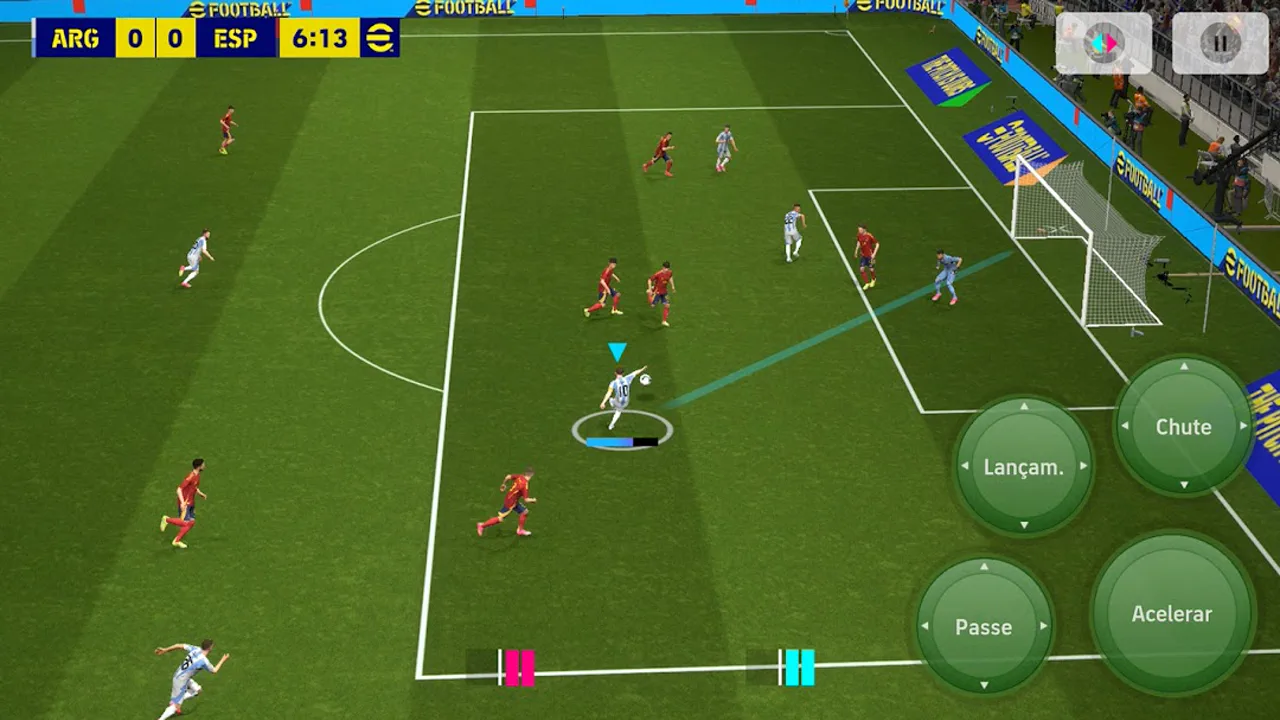
The left side of the screen is movement: a virtual stick that steers the player with the ball and the nearest defender without it. The right side is actions: pass, through ball, shoot and cross, with a sprint button beside them.
Keep your thumbs relaxed and your eyes on the pitch, not on the buttons. The layout is designed to be learned by feel in a few matches, and staring at the buttons is what gets you tackled.
Passing on touch
A short tap passes to the nearest teammate in the direction you are facing. Hold the pass button for a firmer ball, and use the through ball button when a runner is already moving beyond the defence.
The best passers look before they pass. A half second spent checking the runner's lane beats a quick pass into a defender's feet, and the through ball is wasted if the runner has not started moving yet.
Shooting with power
Shooting is about the power bar and the angle. A short hold places the shot, a long hold adds power and risk. Inside the box, placement beats power almost every time: aim for the far corner and let the keeper guess.
Shoot across the keeper rather than at them. A shot to the far post from a wide angle scores more often than a straight shot from the same spot, because the keeper has further to travel.
Dribbling past defenders
Dribbling is changes of direction, not speed. A small touch one way and a burst the other beats a defender who is already moving, while sprinting in a straight line runs straight into them. The Friendlies in Kipsta Football: Set Up a Match in Minutes walkthrough covers that side of the game in full.
Use the sprint button in space, not in traffic. Sprint into the open lane after the defender is beaten, and slow down when a second defender arrives, or the ball will be taken.
Defending without fouling
Defending is positioning first and tackling second. Stand between the attacker and your goal, jockey with the movement stick, and press the tackle button only when the ball is close enough to win cleanly.
The second defender button calls a teammate to press while you cover the passing lane. It is the strongest defensive tool in the game, and the most misused: press with one, cover with the other, never both.
Controller setup
Connect a controller over Bluetooth and the game maps the same actions to sticks and buttons: left stick to move, face buttons to pass, shoot and cross, triggers to sprint. Check the mapping screen before your first match.
Controllers suit players who find touch shooting inconsistent. The sticks give finer aim on shots and passes, and the buttons give a cleaner tackle timing than a screen tap.
Practice drills
Practice one skill per friendly: ten minutes of through balls, then ten minutes of defending without tackling, then ten minutes of far post shooting. A focused drill beats a hundred unfocused matches.
End every practice with a real match. Drills teach the hands, but only a match teaches the decisions, and decisions are what divisions test.
Conclusion
Learn the layout by feel, pass with your eyes up, shoot for the far corner, and defend with position before the tackle. One focused drill per friendly, and a controller if touch shooting stays inconsistent. The thumbs follow the brain, not the other way round. When you are ready, start from the download page.
Quick Answers
How do I control Kipsta Football on a phone?
The left side of the screen steers with a virtual stick and the right side holds pass, through ball, shoot and cross, with a sprint button beside them. Learn it by feel in friendlies rather than staring at the buttons.
How do I shoot better in Kipsta Football?
Inside the box, placement beats power: aim for the far corner with a short hold. Shoot across the keeper rather than at them, and use a long hold only for distance.
Can I use a controller with Kipsta Football?
Yes. Connect a controller over Bluetooth and the game maps movement to the left stick and pass, shoot and cross to the face buttons. Check the mapping screen before your first match.
How do I defend without fouling in Kipsta Football?
Stand between the attacker and your goal, jockey with the movement stick, and tackle only when the ball is close enough to win cleanly. Use the second defender button to press while you cover the lane.