
What Is Kipsta Football?
Kipsta Football is a community Android football package, also searched as Kipsta eFootball, with season-style squads, Dream Team play, My League, divisions, friendlies and co-op match modes. It is the football game players open when they want a full season on their phone: build a squad, take it through a league campaign, then test it against real opponents in divisions.
The package comes from Kipas Football Studio and runs on Android phones and tablets. The base game is eFootball, and Kipsta Football wraps it in a season-shaped package with fresh squads and the modes players ask for first: Dream Team for building an XI, My League for a campaign against the AI, and divisions for ranked play.
On the pitch it plays like the football game you already know. Short passes build from the back, wingers stretch the defence, and a well timed through ball still beats a high line. Off the pitch it is a squad game: collect players, shape a formation, and keep the XI fresh across a long season.
How Kipsta Football Works
Kipsta Football does three jobs. First, it installs as a single Android package on your phone. Second, the first launch downloads the match data on Wi-Fi, which is why the game asks you to keep about 3 GB free before you start. Third, it opens into a home screen where Dream Team, My League, divisions, friendlies and co-op sit side by side, so you pick a mode and play.
Dream Team is the heart of it. You collect players, pick a formation, and set your starting XI and bench. Player cards carry ratings and roles, and a balanced squad matters more than eleven big names: a slow back line will be punished by pace, and a midfield with no ball winner will be overrun.
My League runs a season against AI opponents with a table, fixtures and form to follow. Divisions are the ranked ladder: win matches, climb, and meet stronger opponents as you rise. Friendlies are the low pressure option, a quick match with no stakes, and co-op lets two players share a side in a match together.
Kipsta Football Features
Dream Team squad building
Collect players, set a formation and name your XI. Ratings, roles and chemistry shape how the team plays.
My League seasons
A full league campaign against the AI, with fixtures, a table and form that carries from match to match.
Division ladder
Ranked online play. Win matches to climb divisions and meet stronger opposition as you rise.
Co-op matches
Share a side with a friend in a live match. One attacks, one covers, and both celebrate the goals.
Friendlies
Quick matches with no stakes. The right place to test a new formation or a new signing.
Season-style squads
Squads follow the current football calendar, so the players and kits on your screen match the season.
Touch and controller play
On screen touch controls for phones, with controller support for players who prefer sticks and buttons.
Matchday presentation
Floodlit stadiums, crowd noise and a broadcast style camera that keeps the action readable on a phone screen.
Kipsta Football Screenshots
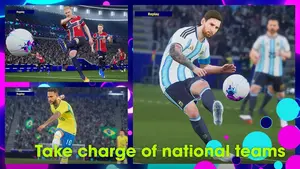
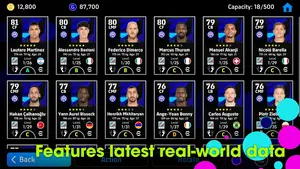
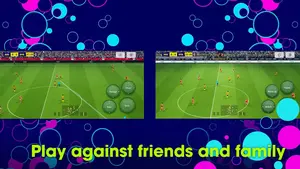
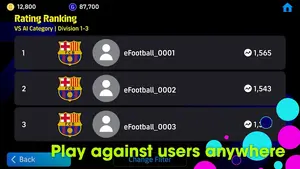
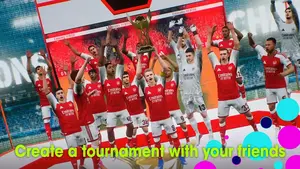
Five frames from eFootball, the base game behind Kipsta Football, in action on Android: national team stars in a replay, the player cards behind a Dream Team squad, touch controls in a live match, the division ranking, and a trophy celebration.
Safety and Verification
Every Kipsta Football build on this site passes the same routine on our own Android phones before the download button goes live. The file is fetched fresh, the package name and size are compared against the APK details table above, and the install is run on a clean phone with the first launch timed.
The checks continue inside the game. We open Dream Team, start a My League fixture, play a friendly and confirm the modes load and play. We also measure the first launch data download on Wi-Fi, because the installer size is only the first number: the match data that follows is the one that needs about 3 GB free.
Two habits keep your account safe. First, install only from the browser or Files app you used for the download, and say yes only to that one install prompt. Second, sign in only inside the game itself, and never type your game password into a page or a form outside the game.
How to Install Kipsta Football on Android
- Fetch the Kipsta Football file from the download page. Use the download button at the top of this page, wait out the short countdown on the next screen, and tap the button when it appears so the file lands in your downloads folder.
- Open the finished file. Android will ask you to allow installs from the browser or Files app you used. Allow it for that app only, then confirm the install.
- Wait for the install to finish. The icon joins your app drawer: a gold KF mark on a deep green pitch.
- Open the game on Wi-Fi. The first launch downloads the match data. Keep the phone awake and on Wi-Fi until it finishes.
- Sign in inside the game. Use your game account on the sign in screen the game itself shows, and pick your first Dream Team settings.
- Play a friendly first. One quick match confirms the controls and the connection before you start a league or a division run.
First Setup: The In-Game Data Download
The installer is only the start. When Kipsta Football opens for the first time it downloads the match data: stadiums, kits, commentary packs and the files each mode needs. Do this on Wi-Fi, with the phone plugged in if you can, and keep about 3 GB free so the download never stalls halfway.
The download runs in stages, and the game shows its progress as it goes. If it pauses, check the Wi-Fi first, then the free storage, then simply resume it: the game picks up where it stopped. Once it finishes, the modes open without another long wait, and later updates download far smaller packs.
Device Compatibility
Kipsta Football runs on Android 5.0 and later, on phones and tablets, and it needs an arm64-v8a device. Nearly every phone sold in the last several years is arm64, so most readers are covered. A 32-bit phone cannot run this build, and no setting changes that.
For smooth play, a phone with 4 GB of RAM and a steady connection is the comfortable minimum. Lower end phones can still play well by dropping the graphics preset, turning the crowd density down and keeping background apps closed during divisions. Tablets get the same modes with a wider view of the pitch, which suits My League sessions.
Technical Details
What the APK details table above does not tell you is how the game behaves after the install. The first launch is the heavy part, and the permissions are the part worth reading before you tap allow.
Storage is the number to plan around. The installer is small, but the first launch data download needs about 3 GB free on Wi-Fi, and a season of My League with saved squads grows from there. The game asks for network, Wi-Fi state, Bluetooth, storage and notification permissions, and it carries ad and billing libraries, so optional prompts can appear later.
Why Players Pick Kipsta Football
Players pick Kipsta Football for the season shape of it. The squads follow the current football calendar, Dream Team gives every match a squad building reason, and My League turns a quiet evening into a campaign with a table to climb. Divisions add the edge: every match matters, and every win moves you up.
It also respects short sessions. A friendly takes a few minutes, a My League fixture fits into a break, and co-op turns one phone into a two player night with a friend. For players who already sideload and want season-style squads on Android, it is a complete football night in one package.
Pros and Cons
Pros
- Full mode set: Dream Team, My League, divisions, friendlies and co-op
- Season-style squads that follow the football calendar
- Runs on Android 5.0 and later, on phones and tablets
- Free to play, with touch controls and controller support
- My League and friendlies suit short sessions
Cons
- First launch downloads match data on Wi-Fi, about 3 GB free needed
- arm64-v8a only, so 32-bit phones cannot run it
- Divisions and co-op need a steady connection
- Optional ad and purchase prompts can appear in the game
Troubleshooting
App not installed. Check that your phone is arm64-v8a and on Android 5.0 or later, then check free storage. Delete the half installed copy, download the file again, and install from the browser or Files app you used.
Stuck on the first launch download. Switch to stable Wi-Fi, free about 3 GB of storage, and resume the download in the game. Avoid switching networks mid download.
Lag or stutter in matches. Drop the graphics preset one step, close background apps, and play on Wi-Fi rather than a weak mobile signal. Divisions punish a laggy connection more than friendlies do.
Modes will not open. Close the game fully, reopen it on Wi-Fi, and let any pending data pack finish. A mode that will not load is usually a data pack that has not finished.
How to Update
Updating keeps your squad and your My League progress. Install the new build over the old one without uninstalling first: your Dream Team, your league table and your settings carry across. Uninstalling first wipes that progress, so never uninstall to update.
After an update, open the game on Wi-Fi once and let any small data pack finish before your first match. If a mode asks for a download after an update, that is the new season data, and it is smaller than the first launch download.